LUDEX Sports Card Scanner +TCG
- 4.5
- Rating
- 1.00M
- Installs
- Free
- Price

 Analysis by App-foxy
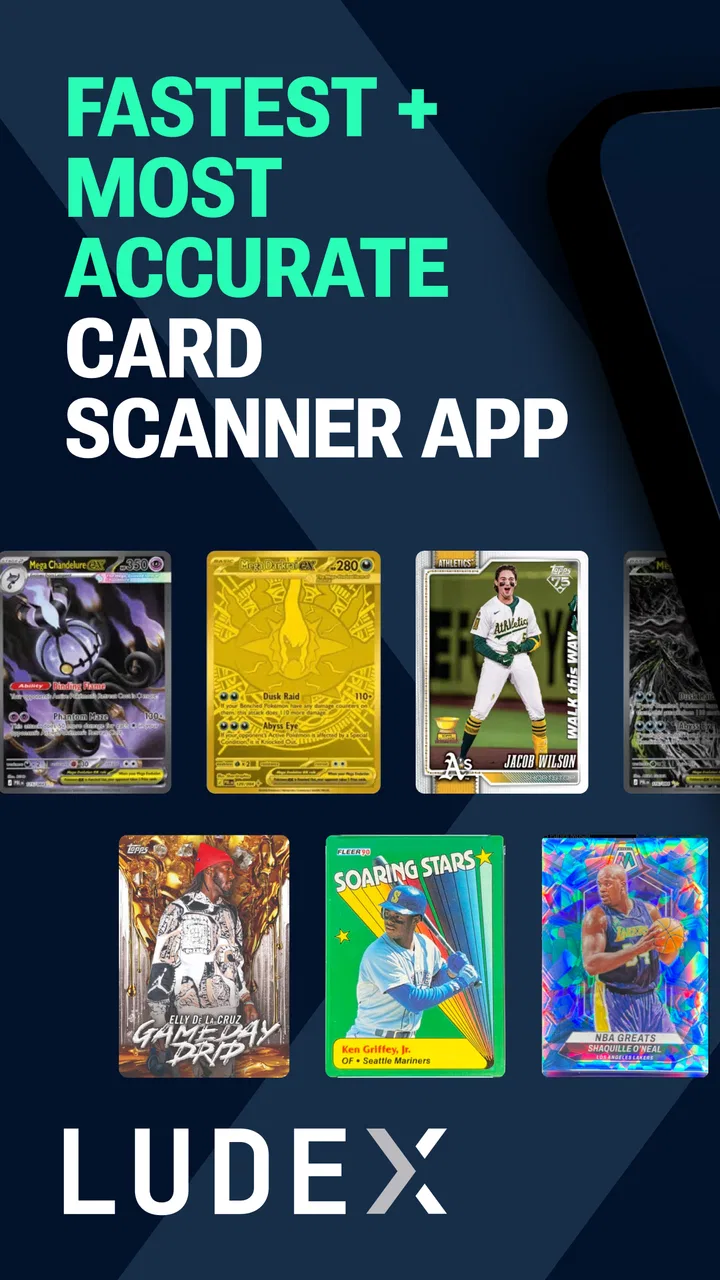
I like card apps that solve a specific problem instead of trying to become an entire hobby in one screen. LUDEX Sports Card Scanner +TCG takes that focused approach: it is built for scanning trading and sports cards, checking their value, and organizing a collection. In my experience, the most important part of using it is understanding that the scanner is not a magic appraisal machine. It is a convenient starting point for research, especially when I am sorting through a box of cards and need a quicker way to decide what deserves a closer look.
The app comes from Ludex AI and sits in the sports category, although its usefulness reaches into trading-card collecting more broadly. It is free to install, rated for Everyone, and has become a widely used option with more than one million installs. Its average score is 4.5 from roughly fourteen thousand ratings, which suggests that the basic idea works well for many collectors. The current release is version 1.9.4, and it runs on Android 7.0 or later.
How the scanner feels when a connection is available
The first thing I would do with this app is prepare a small, manageable group of cards rather than dump an entire collection onto the table. Good lighting, a reasonably clean card surface, and a camera angle that shows the card clearly make the process much less frustrating. The point is not only to capture an image; it is to give the recognition system enough visual information to distinguish the card from similar releases.
You May Also Like

 Blood Strike: 2.5 Anniversary
Blood Strike’s Loadouts Turn Every Drop Into a Tactical Gamble
A close look at Blood Strike’s custom loadouts: how fast access to signature weapons reshapes its battle royale rhythm, rewards preparation, and narrows the gap between fights.

 Pandora - Music & Podcasts
Pandora’s Music Is Easy to Start, but Harder to Recover
Pandora’s strength is its low-effort path from a seed to a station. Its weak spot is how much confidence it asks you to place in connection, setup, and quiet recovery.

 8 Ball Pool
 Is Built on Rivalries, Rematches, and Routine
A close look at the rivalries, rematches, shared routines, and unanswered safety questions that turn a quick pool match into a persistent mobile community.

 Samsung Music
’s Quiet Strength Is Playing What You Already Own
Its reach comes less from spectacle than from dependable access to a personal library. That simplicity is both the app’s strongest retention engine and its ceiling.

 AccuWeather: Weather Radar
AccuWeather Review: A Quick, Clear Forecast for Everyday Decisions
For everyday plans, the best forecast is the one you can understand quickly. AccuWeather makes rain timing, radar, and local conditions easy to act on, with a few trade-offs.

 Hill Climb Racing
Why Hill Climb Racing Still Turns Crashes Into One More Run
A tiny car, a bumpy hill and one more upgrade: Hill Climb Racing keeps resurfacing because its simple chaos makes every near-miss feel personal.
More From Our News Desk



That distinction matters because sports cards often have nearly identical designs across different years, sets, parallels, and conditions. A scan can help identify a likely match, but I still treat the result as a lead that needs checking. The app is most useful when it shortens the distance between “I have no idea what this is” and “I have a likely listing to investigate.” It is less suitable as the only evidence for a serious sale or insurance valuation.
Connectivity shapes this experience in a practical way. A scan that depends on online recognition or current value information can feel quick when the network is stable, but the same action may become slower or less predictable in a crowded venue, a basement, a garage, or a room with weak reception. I would not begin a large sorting session assuming every lookup will behave identically. The smoothest workflow is to use it where the phone has a dependable connection and to keep the physical cards organized while results load.
This is also where the app differs from a paper checklist or a manually maintained spreadsheet. Those alternatives remain useful for recording information I already know, but they make identification and research more laborious. A marketplace search can provide broader context, yet it usually requires me to type the player, year, set, and card number correctly. The scanner reduces that initial typing, which is its clearest advantage.
There is a trade-off, though. A camera-based lookup can be more convenient than manual entry, but it is also more sensitive to glare, cropping, unusual layouts, and cards that look alike. I get better results by scanning one card at a time and checking the visible details before accepting a match. Rushing through a stack may save a few minutes at the camera but create much more cleanup later.
A useful workflow for sorting a mixed box
One of my favorite ways to use a tool like this is during the first pass through an inherited collection. I separate obvious bulk cards from anything that looks older, unusually designed, autographed, numbered, or connected to a player I recognize. Then I scan the uncertain group, keeping the cards in small physical piles based on the results. This prevents the common mistake of mixing identified cards back into an unsorted box.
The app is particularly helpful for triage. I do not need a perfect final valuation for every common card on the first pass. I need to know which cards deserve sleeves, closer condition inspection, or a second source of price information. That makes the scanner valuable even when its result is only an approximate identification. The time saved comes from prioritizing attention, not from eliminating judgment.
A less obvious tip is to photograph cards before putting them into protective holders when the holders create reflections. Sleeves and rigid cases can be useful for storage, but their shine may interfere with recognition. If a protected card is difficult to identify, I would remove unnecessary glare, adjust the angle, and try again rather than repeatedly tapping the scan button from the same position.
Another practical habit is to keep a note of cards that produce uncertain or surprising matches. Similar-looking cards are exactly where mistakes can become expensive. A quick written reminder of the player, set clues, card number, and any visible variation gives me something to compare when I revisit the result. The app can accelerate discovery, but careful collecting still depends on preserving those small details.
Using it away from the desk
The mobile format makes sense in situations where I am not sitting beside a computer. At a card show, for example, I can use the phone to investigate an unfamiliar card before deciding whether to ask a seller about it. I would still avoid treating the displayed value as a final buying limit, because condition, authenticity, grading, edition differences, and the timing of marketplace activity can all change what a card is actually worth.
At home, the app works well during a short evening sorting session. I can scan a handful of cards, separate possible keepers, and stop without turning the entire collection into a weekend project. That smaller rhythm is important: card collecting can become tiring when every item demands a full investigation. A scanner is most helpful when it supports sensible decisions about where to spend time.
It is also a reasonable companion for someone learning the hobby. A new collector may not yet recognize set designs or know which details matter. Seeing a likely identification gives that person a place to begin asking better questions. I would encourage beginners to compare the image and description carefully rather than assuming the first result is correct. That habit teaches the hobby instead of replacing it with blind trust in an automated lookup.
For a serious dealer processing a very large inventory, the picture is more mixed. The app can help with initial identification, but high-volume work demands consistency. Lighting, camera position, network responsiveness, and manual verification all affect the pace. A dedicated cataloging setup or a carefully structured spreadsheet may be better for maintaining exact inventory fields once the cards have been identified.
What happens when a scan does not go smoothly
The most realistic limitation is that recognition will not always be immediate or correct. A card may be too reflective, partly covered, worn, oddly centered in the frame, or simply too similar to another version. When that happens, I would change one variable at a time: clean the camera lens, move to softer light, flatten the card, remove glare, and make sure the full design is visible. Repeating the same scan under the same conditions rarely improves anything.
Network interruptions add another layer of uncertainty. If the app is waiting for online identification or value information, a weak connection can make a normal scan look like a camera problem. My recovery routine would be simple: pause instead of repeatedly submitting the same image, check whether other network-dependent phone actions work, and keep the card in a clearly labeled temporary pile. That way, a failed lookup does not cause the physical collection to lose its place.
This temporary-pile method is more important than it sounds. When I am sorting dozens of cards, the biggest danger is not one failed scan; it is forgetting which cards were unresolved and accidentally treating them as confirmed. I would use separate groups such as identified, needs review, and visually unusual. The app handles the digital part, while the physical organization protects me from mixing assumptions with facts.
Recovery also means knowing when to switch methods. If a card repeatedly produces an implausible match, I would stop scanning and inspect the printed information manually. Searching by player, year, set, and card number through a marketplace or collector database may take longer, but it can expose differences that an image match overlooks. The best workflow is not scanner versus manual research; it is scanner first, verification second.
Value results deserve the same caution. A displayed figure can help me decide whether to investigate further, but it should not automatically become a selling price. The card’s condition and exact variation can matter more than the broad identity. For an expensive-looking card, I would compare multiple sources and inspect it under good light before making a financial decision. That is a limitation of the task itself, not something an attractive interface can remove.
Keeping mobile use sensible and data-conscious
Because the app is designed around photographing cards and finding information, I would use it deliberately rather than scanning every object in sight. A focused batch is easier to review, easier to organize, and less likely to leave me with a long list of uncertain results. I also prefer to avoid photographing unrelated personal material in the same session. Keeping the camera pointed only at the cards makes the workflow cleaner and more comfortable.
Connectivity is part of that planning. If I am heading to a show or a shop, I would test the scanning process before leaving home and avoid relying on it as my only way to identify cards. I would also keep a small manual note-taking method ready for cards that need later research. That backup is useful not because the app is inherently unreliable, but because any online mobile workflow can be affected by reception, congestion, or temporary service problems.
The app’s free entry point makes it easy to try without committing money immediately. However, in-app purchases range from $4.99 to $239.99 per item, so I would pay close attention to what a paid option unlocks before confirming anything. A collector who only scans occasionally may find the free experience sufficient, while someone using the app as part of regular inventory work may consider an upgrade differently. The right choice depends on frequency and workflow, not simply on the presence of extra features.
I would also avoid scanning with unrealistic expectations about privacy, storage, or permanence. The safest personal habit is to treat every image-based service thoughtfully: use it for the intended card, review what is being submitted, and avoid including background documents, addresses, or unrelated items. That is sensible practice for any camera-driven app, especially when I am working in a cluttered room or at a public table.
One advanced trade-off is speed versus confidence. If I accept every likely match immediately, I can move quickly but risk building a collection around incorrect identities. If I inspect every result in depth, I lose the convenience that brought me to the scanner. My compromise is to accept obvious matches for ordinary cards and reserve detailed verification for anything valuable, unusual, or visually inconsistent. That approach gives the app a clear role without asking it to make every collecting decision.
Who will get the most from it
I would recommend this app to casual collectors, sports fans with boxes of unsorted cards, parents helping children identify cards, and hobbyists who want a faster first pass before doing deeper research. It is especially useful when the collection is mixed and the owner does not already know the set details. The combination of image recognition, value-oriented research, and collection building gives those users a practical starting point.
I would be more cautious about recommending it to someone who needs formal appraisal documentation, exact dealer-grade inventory, or guaranteed identification of rare variations. Those users may prefer a specialist service, a trusted human expert, or a manual cataloging system that exposes every field they need. The scanner can still be part of their process, but I would not make it the final authority.
The app also may not suit collectors who dislike camera-based workflows or who usually know their cards by memory. If I already have a precise catalog and only need to update quantities, scanning each card could add unnecessary steps. In that case, a spreadsheet or dedicated inventory tool may provide better control. LUDEX is strongest at reducing the friction of discovery, not necessarily at replacing every part of a mature collection system.
For new users, I would begin with ten or so representative cards rather than a prized centerpiece. That test reveals how well the lighting, phone camera, card condition, and connection work together. It also gives me a chance to understand the result screens and collection process before I trust the app with a large sorting project. Starting small is the easiest way to learn its strengths without creating a mess.
My connectivity verdict
After looking at the complete workflow, I see LUDEX Sports Card Scanner +TCG as a useful mobile research assistant rather than a definitive pricing expert. Its strongest moment is the transition from an unidentified card to a plausible identity and a reason to investigate further. That transition can save real time, especially when I am working through a mixed box or standing in front of a seller with limited time.
The network-dependent nature of identification and value-oriented research means I would plan around a stable connection and keep a manual fallback. I would also separate confirmed cards from unresolved ones, verify unusual matches, and treat displayed values as guidance rather than promises. Those small habits make the experience much more dependable than simply pointing the camera at everything and accepting the first result.
For a free sports app with an Everyone rating and a mature user base, it offers a friendly entry into a task that is usually slow and repetitive. The paid items mean I would review the purchase choices carefully, particularly if I only collect casually. Still, the basic concept is clear and useful: use the scanner to decide what deserves your attention, then use your own judgment to decide what it is worth.
That is why I would recommend giving it a try if your cards are waiting in unsorted piles and you want a practical first step. I would skip it as a sole authority for high-value transactions, formal appraisals, or meticulous professional inventory. Used within those boundaries, it makes mobile card research more approachable without pretending that technology can replace careful collecting.
FAQs for LUDEX Sports Card Scanner +TCG
01What is the primary function of the LUDEX Sports Card Scanner + TCG app?
The LUDEX Sports Card Scanner + TCG app is designed to help users scan, organize, and manage their sports card and trading card game (TCG) collections. By using advanced scanning technology, the app can quickly identify and catalog cards, providing essential details such as value, rarity, and other relevant information to collectors and enthusiasts.
02How accurate is the card scanning feature in the LUDEX app?
The LUDEX app utilizes cutting-edge image recognition technology to ensure high accuracy in card scanning. While it efficiently identifies most cards, users should note that lighting conditions and card condition can impact results. For best performance, it's recommended to use the app in well-lit areas and ensure the card is in good condition.
03Does the LUDEX app support all types of sports and trading card games?
The LUDEX app supports a wide range of sports cards and popular trading card games. However, its database is continuously updated, so some newly released or rare cards might not be immediately recognized. Users can expect regular updates to enhance compatibility and add support for new card series.
04Is there a subscription fee for using the LUDEX app?
LUDEX offers both free and premium subscription plans. The free version provides basic features, while the premium subscription unlocks advanced functionalities such as detailed market analysis, unlimited scans, and access to a comprehensive database. Users can choose a plan based on their needs and level of collection management desired.
05How does the LUDEX app ensure the privacy and security of user data?
LUDEX is committed to user privacy and employs robust security measures to protect personal data. The app uses encryption protocols for data transmission and storage, and adheres to strict privacy policies to ensure user information is kept confidential. Users can manage data settings within the app to further control their privacy.
Pros
- Fast and accurate card scanning.
- User-friendly interface for easy navigation.
- Extensive database of sports cards.
- Real-time market value updates.
- Supports multiple card types.
Cons
- Limited offline functionality.
- Occasional scan recognition errors.
- In-app purchases for premium features.
- Requires a stable internet connection.
- No support for older OS versions.

LUDEX Sports Card Scanner +TCG
Gallery